
Hawadaar
ہوادار · Urdu for “airy, breezy”
Control your Panasonic MirAIe AC from your Mac's menu bar.
The remote is never where you left it, and the MirAIe app is buried on your phone. Hawadaar puts every AC in the house one click away.
Free and open source · macOS 14+ · Apple Silicon and Intel
See it in action
Features
One click away
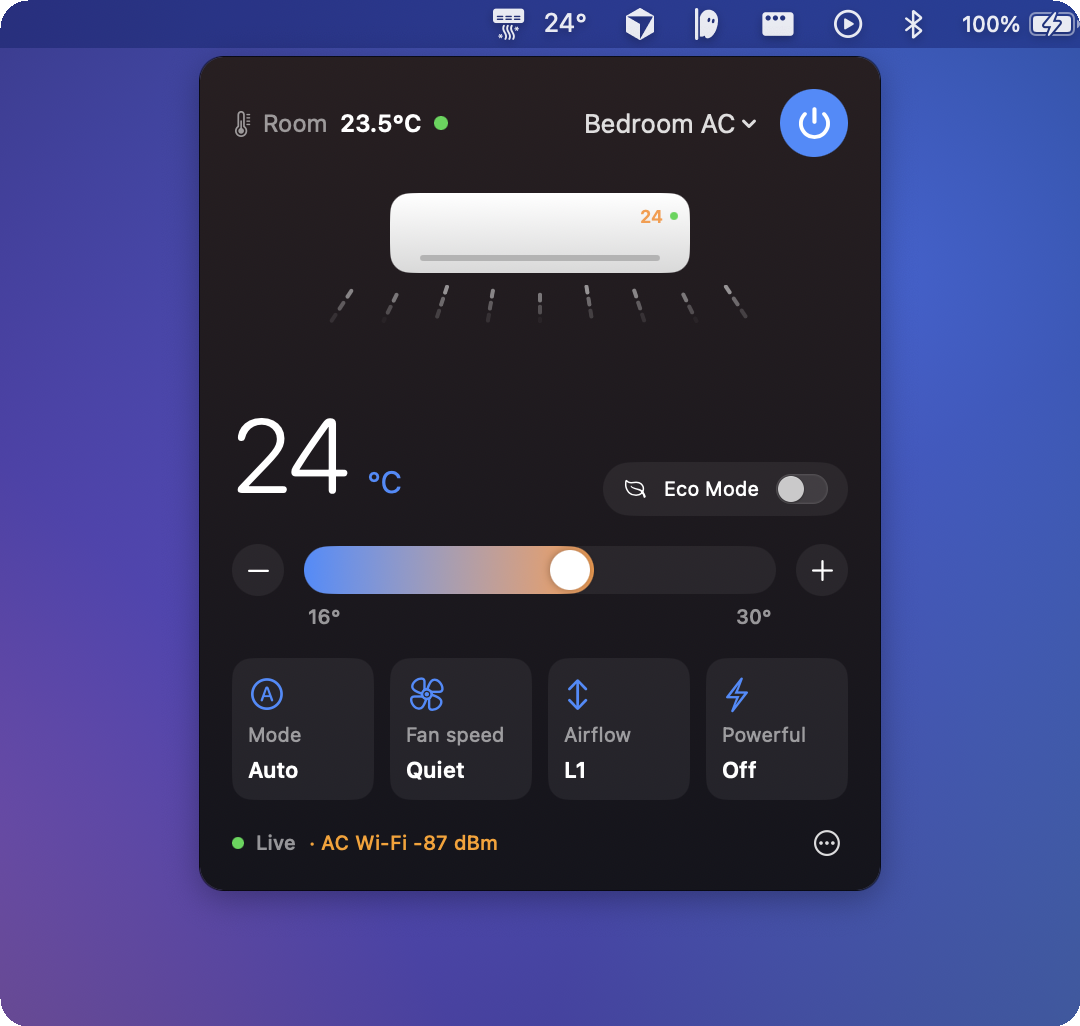
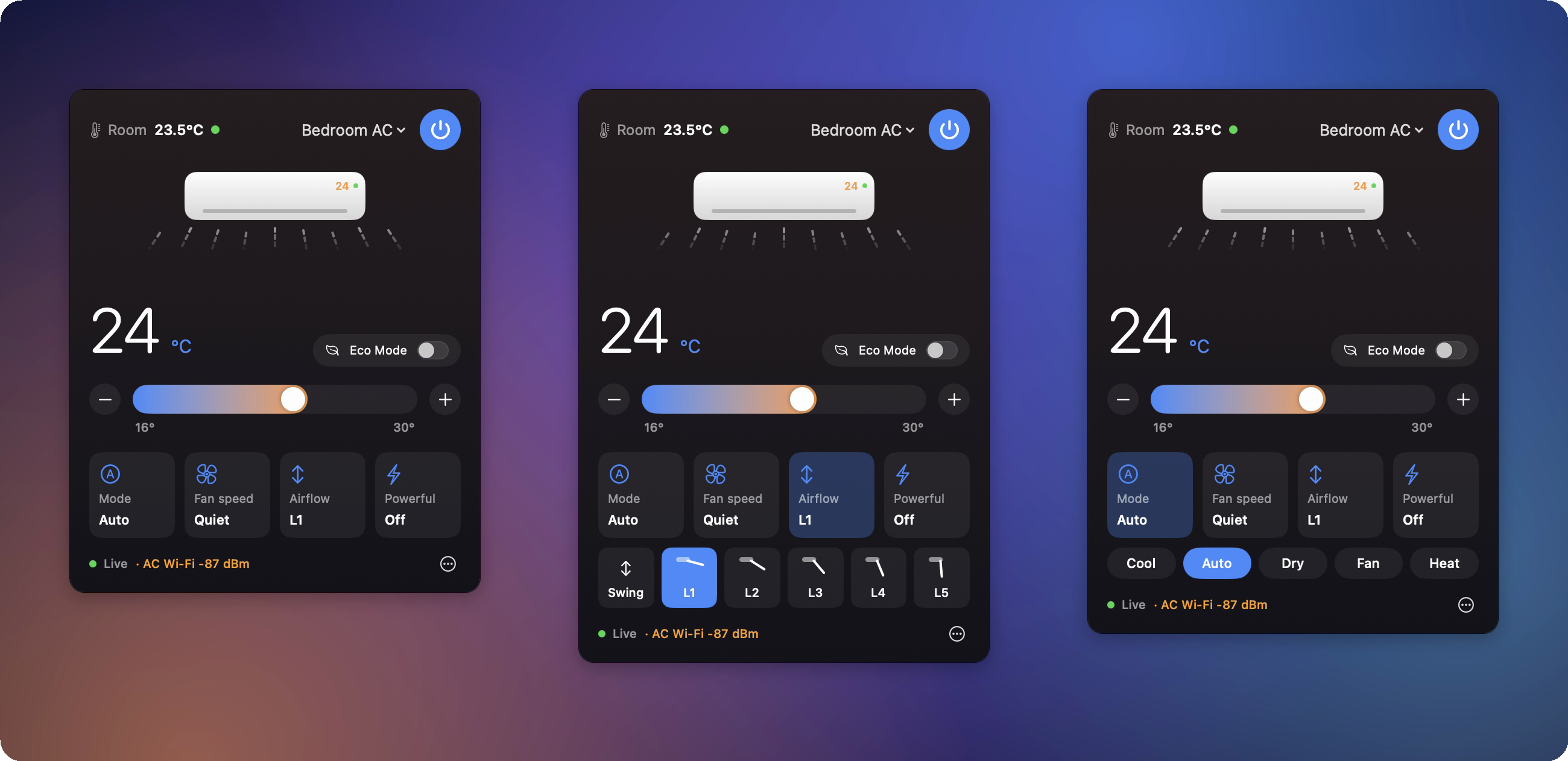
The menu bar shows the temperature your AC is set to. Click for power, a 16–30 °C slider, mode, fan speed, Eco and Powerful.
Airflow you can see
The animation follows the real louver: it sweeps on Swing and changes angle for positions L1–L5.
Always in sync
Changes from the remote or the MirAIe app show up within a second or two.
Every AC in the house
Switch between all the ACs on your MirAIe account from the same panel.
Why does my AC go offline?
Hawadaar shows the Wi-Fi signal each AC reports, warns when it is weak, and logs every drop-out.
Tiny and native
SwiftUI, no dependencies, under 1 MB, Apple Silicon and Intel. Updates install themselves in one click.
Why I built it
One of my Panasonic ACs kept dropping off Wi-Fi. While chasing that down I found that MirAIe ACs can't be controlled on the local network at all: everything goes through Panasonic's cloud over MQTT. So I built a native client that signs in like the MirAIe app does, then keeps its own MQTT-over-TLS connection for live status and commands, using a small MQTT client I wrote on Apple's Network framework instead of pulling in a dependency.
The status messages turned out to include each AC's own Wi-Fi signal. The one that kept disconnecting reported about −85 dBm while sitting a foot from the access point, against −41 dBm for the others. That pointed at the AC's Wi-Fi module rather than the network I'd been tuning, and it's why Hawadaar shows that number and logs every drop-out.
Shipping a Mac app outside the App Store also meant designing around Gatekeeper, App Translocation and the Keychain. Updates download, check GitHub's published SHA-256 and the code signature, then replace the app in place and restart, so nobody has to reinstall by hand.
I wrote up the details in Building Hawadaar: MQTT, a Wi-Fi mystery and shipping outside the App Store.
Install
- Download Hawadaar-x.y.z.zip from the latest release, unzip it and move Hawadaar.app to Applications.
- Open it. The first time, macOS says it can't verify the app: click Done, then System Settings → Privacy & Security → Open Anyway.
- Click the AC icon in the menu bar and sign in with your MirAIe mobile number (or email) and password.
FAQ
Which air conditioners work?
Panasonic ACs controlled with the MirAIe app, sold mainly in India. Models that use Panasonic’s global Comfort Cloud app are a different system and aren’t supported.
Is it safe to enter my MirAIe password?
It’s stored in the macOS Keychain and only sent to MirAIe’s own servers, exactly like the MirAIe app. There are no analytics and no server of my own, and the code is open on GitHub.
Why does macOS say it can’t verify the app?
Hawadaar isn’t notarized by Apple yet. The first time, click Done, then System Settings → Privacy & Security → Open Anyway. Updates after that install from inside the app.
Is it made by Panasonic?
No. Hawadaar is an independent open-source project built on the community’s work documenting the MirAIe protocol. Panasonic and MirAIe are trademarks of their respective owners.
Made by Abdul Ghani
Senior software engineer. I build things I need, then share them. Feedback, issues and pull requests are welcome.