Hawadaar
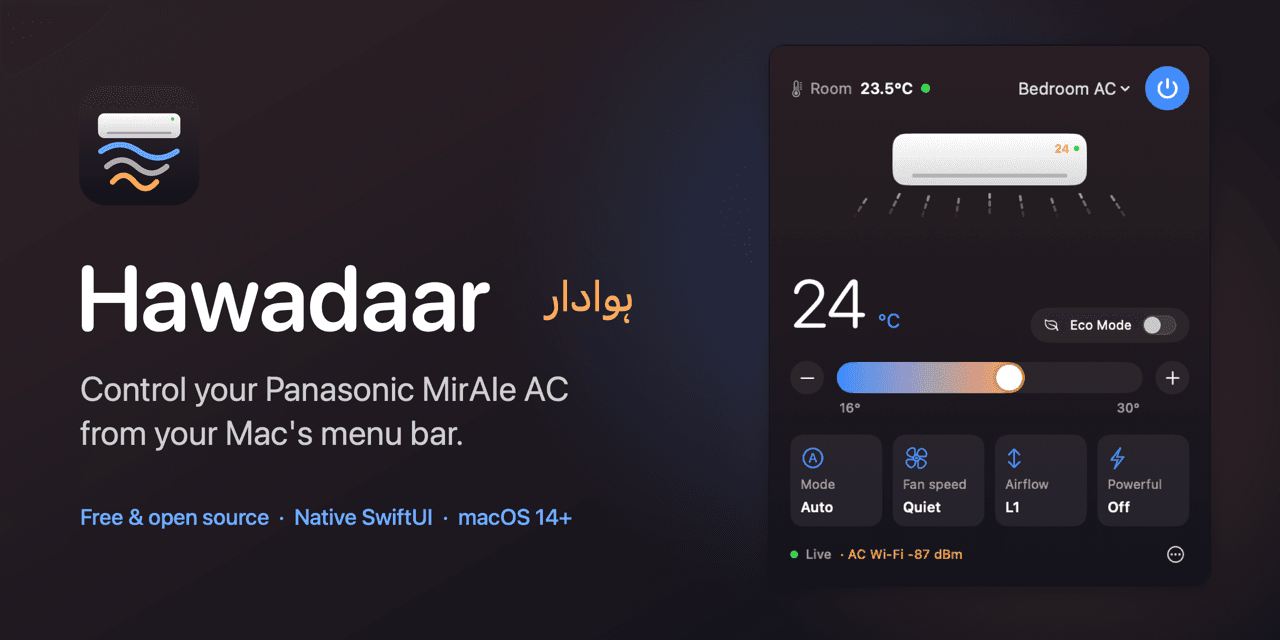
Menu bar control for Panasonic MirAIe air conditioners.
- Type
- Own product
- Category
- macOS app
- Year
- 2026
- Stack
- Swift, SwiftUI, MQTT, macOS
- Link
- Product page
The challenge
My Panasonic ACs could only be controlled from the MirAIe phone app or a remote that was never where I left it, and one AC kept dropping off Wi-Fi with no way to see why.
The approach
Built a native macOS menu bar app that talks to the same cloud as the MirAIe app, puts every AC one click away, and surfaces the Wi-Fi signal each AC reports.
What I built
- 01Reverse-engineered protocol: MirAIe REST sign-in plus MQTT over TLS for live status and commands
- 02Wrote a minimal MQTT 3.1.1 client on Apple's Network framework, keeping the app dependency-free and under 1 MB
- 03Custom AppKit status item and panel so the UI renders identically on every macOS version
- 04Live airflow animation driven by the AC's real louver position
- 05One-click self-updates that verify GitHub's published SHA-256 and the code signature, handling App Translocation
- 06Unit-tested protocol core with Swift Testing and CI on GitHub Actions
Outcome
Every AC in the house is one click away, and the Wi-Fi readings showed the AC that kept disconnecting reported −85 dBm a foot from the access point, pointing to its Wi-Fi module rather than the network.
What I learned
Distributing a Mac app outside the App Store is its own engineering problem: Gatekeeper, App Translocation, Keychain access control and safe self-updating all shape the design.